Product Release Notes Formats That Developers Actually Read
Structure and category your release notes so developers can find what matters in seconds.
A developer who skips your release notes is not being lazy. They tried the notes once, found a wall of commit messages, and learned that reading them cost more time than skimming the diff directly. The habit of skipping is learned behavior, built from a format that answers neither question a developer actually brings to the page: what changed, and does it touch them. A note written as an internal commit dump cannot answer either one, no matter how thorough the engineering behind it was.
Why developers skip release notes
The mismatch starts with who the note is written for. Most release notes are produced by the people closest to the code and shaped by what was easiest to paste in at the end of a sprint, not by what a reader needs to find in ten seconds. A developer opening a changelog wants to know two things, and only two: what changed, and whether it touches something they depend on. A list of raw commit messages, however accurate, forces the reader to translate engineering language into consequence, and most readers won't do that translation work for free.
The failure pattern repeats with enough consistency that it forms a stack rather than a series of isolated mistakes: commit messages get pasted in without editing. Breaking changes sit buried in the middle of a list, indistinguishable from a cosmetic tweak. Internal refactors that no user will ever notice sit next to changes that will break a production integration, with nothing to separate the two in weight or placement. Teams go quiet for months and then post a fifty-entry dump that nobody has the time to parse. None of these failures depend on team size or company stage. They appear in small startups and large platforms alike because the underlying cause is structural.
Two industries have responded to this problem in opposite directions, and both responses prove the same underlying point. Consumer mobile apps largely gave up on detailed release notes because users don't read them, so most mobile changelogs have drifted into generic boilerplate like "bug fixes and performance improvements." B2B SaaS companies and developer-tool makers have gone the other way, turning release notes into a marketing surface that signals momentum, competence, and ongoing investment to a technical buyer. Both outcomes confirm that format determines readership. Where the format serves the writer, the reader disengages. Where the format serves the reader, the release note becomes something people actually seek out.
What developers and machines are scanning for
A human scanning a changelog moves top to bottom and stops at the first entry that looks relevant to them, abandoning the page within seconds if the category they need isn't where they expect it. A returning reader who knows the Fixed section always sits in the same place, labeled the same way, finds what they need in seconds on the tenth release just as reliably as on the first. Inconsistent structure forces that reader to re-learn the page every time, which functions the same as having no structure.
A second audience now reads changelogs at scale: AI agents and assistants that buyers increasingly use to judge whether a product is actively maintained. Release velocity itself functions as a trust signal, and an assistant summarizing a product's health will draw on the same changelog a developer would read manually. Machine readability asks for the same things a careful human reader would ask for: a crisp one-sentence summary per entry, typed categories instead of free text, stable URLs that don't rot, and a consistent structure release over release. Offering the changelog as Markdown, RSS, or JSON lets an answer engine quote the actual text accurately rather than paraphrasing loosely from a scraped HTML page. The useful part of this second audience is that it asks nothing additional of the writer. The habits that let a developer skim a changelog in ten seconds are the same habits that let an agent summarize it correctly, so there's no tradeoff to manage between writing for people and writing for machines.
The structural skeleton every developer-facing release note needs
A release note needs a small, fixed set of components, and leaving any one of them out pushes work onto the reader that belongs to the writer. The header line carries the product name, a version number or date, and the environment if more than one exists, such as web, iOS, or API. Version numbers let a user track which update they're running and reference a specific release when filing a support ticket, turning a thirty-minute support exchange into a five-minute one.
A short summary, one or two sentences, should frame what the release addresses and who it affects. The point directly addresses what the release does and who it affects, so it deserves more editorial attention per word than any other line in the note.
Changes then split into categories: new features describing what a user can now do, improvements describing what changed from the user's point of view, bug fixes stating what used to happen and what happens now instead, and breaking changes, which need to be flagged loudly regardless of where else they appear. A short section for known issues or limitations respects the reader more than silence does. Developers generally tolerate imperfection better than they tolerate discovering it themselves in production. Links to documentation, migration guides, or support close out the note, so a reader with a question doesn't have to go searching for where to ask it.
Depth should scale with stakes. A major release earns fuller treatment, with visuals and surrounding context. A minor update warrants one to three lines and nothing more. A bug fix needs plain language built around the before-and-after experience, and a security patch should stay brief and factual, without embellishment. This skeleton also clarifies a distinction many teams blur: a release note explains one release in terms a user can act on, curated and framed around benefit, while a changelog is the running chronological record behind it. Knowing which one is being written determines both its length and its audience.
Breaking changes need their own visual treatment
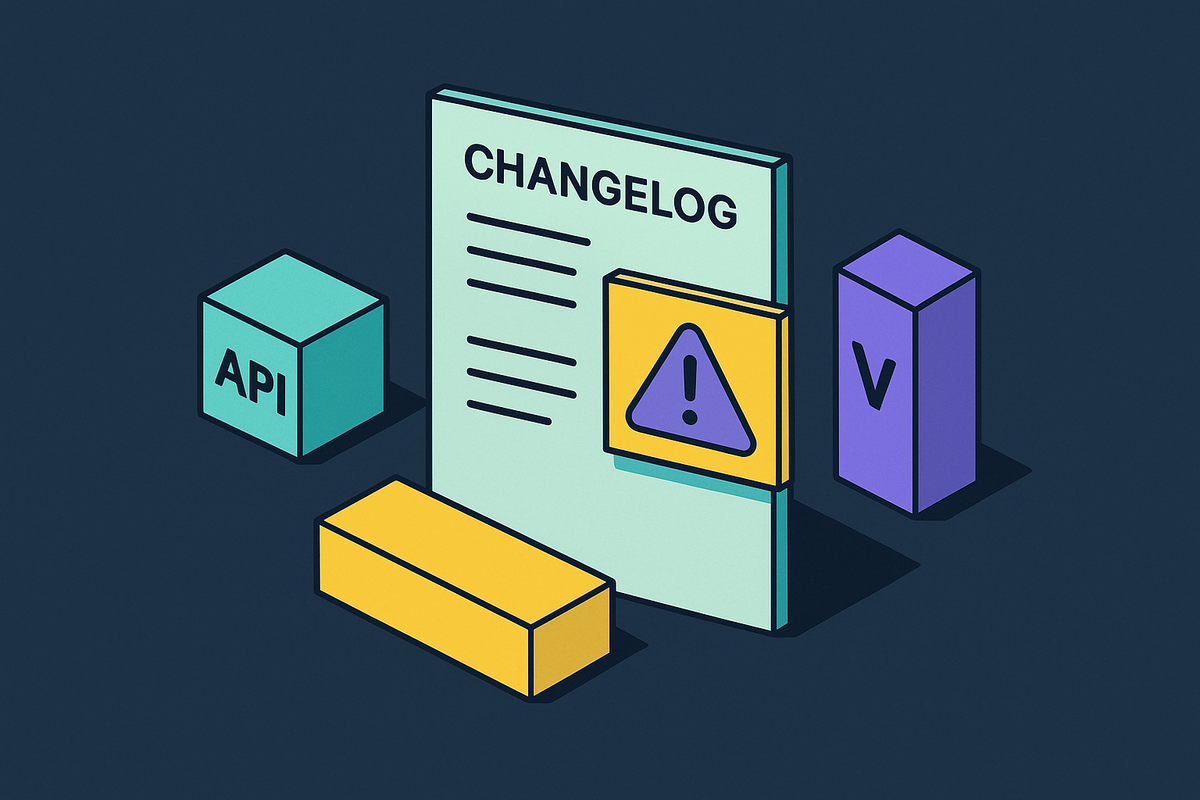
Breaking changes carry more risk than any other category in a release note, and risk at that level needs a visual signal, not just a place in a list. Most readers skim a changelog with one specific question in mind: is something they depend on going away? That question has to be answerable without reading a paragraph of prose, because a developer under time pressure will not read the paragraph.
Three real implementations show a spectrum of how seriously teams have taken this problem. Supabase includes a dedicated Breaking Change label alongside a separate Deprecation label, both rendered as type labels that are difficult to miss even on a fast scroll. Keep a Changelog's 2.0.0 specification, along with the related Common Changelog specification, takes a lighter approach: entries that break something start with a bold "Breaking:" prefix while staying inside their normal category group, which works in plain Markdown without any custom tooling. Stripe runs a filterable "Breaking changes" label through its dated API version history, letting integrators isolate exactly the entries that could break a production integration without wading through routine updates. These three approaches sit on a spectrum from lightweight to rich, and the right one depends on how complex the product's integration surface is rather than on which approach is more sophisticated in the abstract.
Whatever the implementation, the minimum viable version is a yes-or-no breaking field or label attached to every single entry, so a reader never has to infer severity from how a sentence is phrased. Migration steps belong next to the breaking change itself, not filed away in a separate document the reader has to go find. If the steps are long, a link to full detail is fine, but the entry itself should say enough that the reader knows immediately whether they need to click through.
Benefit-first writing: translating what shipped into what changed for the reader
Two sentences can describe the same piece of work and produce entirely different reader behavior. "Migrated to a new caching layer" describes a mechanism an engineer cares about. "Pages now load roughly twice as fast" describes an outcome a user experiences. Only the second sentence gets read, because only the second sentence answers a question the reader actually asked.
The rule that follows from this is straightforward: write the benefit first, and bring in the mechanism afterward only if the audience is technical enough to act on it. A quick test applies line by line rather than to the note as a whole: for each entry, ask whether a user would change what they do, feel relieved, or learn something actionable from reading it. If the answer is no, the line needs to be rewritten or cut.
Specificity separates a useful note from a vague one far more than length does. "Reduced API time by caching in Redis (~200ms savings)" tells a developer something concrete they can act on or reference later. "Improved performance" tells them nothing they can use. The same logic applies to bug fixes: "The dashboard no longer freezes when filtering by date range" states what was broken and confirms it's resolved, using before-and-after framing in language anyone on the team could understand without a glossary.
This does not ban technical detail. Technical context has a place, but it belongs after the benefit has been stated, and only when the audience reading that particular note is developers who will actually act on the implementation detail. What doesn't belong in a user-facing note, ever, is a codename, a ticket ID, or internal jargon. Those details signal, immediately and reliably, that the note was written for an internal audience and handed to users as an afterthought.
How real teams group and label changes
Choosing categories is a navigation decision before it's a cosmetic one. The right grouping lets a developer jump straight to the section that matters and skip the rest entirely, and several real changelogs show different ways of solving that problem depending on what the product needs its readers to find quickly.
Keep a Changelog's standard groupings, Added, Changed, Deprecated, Removed, Fixed, and Security, are the categories most developers already recognize on sight, and the convention is to omit any group with nothing in it that release. GitHub organizes its changelog around New Releases, Improvements, and Retired, with an RSS feed alongside it; giving "Retired" its own category, rather than folding deprecations into general notes, makes end-of-life changes visible to anyone scanning for them. Linear opens each entry with a short narrative before dropping into fixes and improvements lists underneath, a structure that fits a product selling on design polish, where the story around a change earns attention a bare bullet list wouldn't. React groups its changelog by package within each release rather than strictly by change type, which in a monorepo setting often serves a reader better than a single flat list; a developer working only in React DOM can jump straight to that package's section and ignore the rest. Raycast organizes by per-platform tabs, with every version for that platform on one scrolling page, a structure suited to a desktop app where a user needs to match a note to the exact build installed on their machine.
The pattern across all five is that each team picked a structure to match a specific reading behavior its own users exhibit, then documented the convention and stuck to it release after release. Whether headings use sentence case, how breaking changes get labeled, where the version number and date sit on the page: none of these decisions matters much in isolation, but consistency in all of them lowers the effort a reader spends on every release after the first one. The product type should drive the choice. An API changelog needs filterable breaking changes the way Stripe's does. A library needs diff links and contributor credit the way React's does. A SaaS product needs dates and a subscribe option. A desktop app needs version numbers a user can match against their installed build, the way Raycast's does.
Linking and versioning practices that make a release note findable and citable
A release note earns most of its long-term value after the day it ships, when a support agent or a developer debugging a regression needs to find it again. "Fixed in 2.1.0," with a working anchor link to that exact entry, closes a support ticket faster than "fixed in a recent update," because the link itself is the answer.
Keep a Changelog's convention of diff links shows what this looks like in practice: bracketed version numbers function as Markdown reference links, each pointing to a GitHub compare view between two tags, so a reader can see the literal code diff behind a release without leaving the changelog page. React's own CHANGELOG.md file shows the scale this reaches over time, running to more than 3,000 lines of versioned, linked history. Every version or release needs a stable address: an anchor or dedicated page on a web changelog, or a reference link to a compare view in a Markdown file, so a URL to a specific release stays valid indefinitely as the page gets updated.
Old entries should stay in place rather than get deleted or overwritten, since people search the archive as often as they check the latest entry, and the historical record carries as much practical value as this week's update. An RSS feed, an email subscription option, or an in-app prompt turns a changelog from a static page someone checks once into a channel readers actually return to. Semantic versioning in the header does real communicative work before the reader reads a single sentence of prose: a patch version tells the reader it's safe to upgrade without much thought, while a major version tells them to slow down and read carefully.
Open-source changelogs carry an extra obligation: contributor credit and traceable accountability
Open-source projects answer to an audience the rest of this format argument doesn't fully cover: the contributors who wrote the code being described. A changelog that doesn't name who submitted a given pull request, and doesn't link to it, leaves out information that matters as much to a maintainer auditing a release as it does to the contributor who did the work.
Crediting contributors by name next to the entries they authored gives a reader an immediate way to trace a change back to its author and its discussion, rather than taking the changelog's description on faith. Linking directly to the pull request or commit behind each entry extends the same diff-link principle discussed earlier into a form that also serves accountability: anyone auditing a release can see not just what changed, but who proposed it and how it was reviewed. For a maintainer, this traceability turns the changelog into a record that supports real investigation, not just a summary for users. For a contributor, visible credit is often the only recognition their work receives, and its absence is noticed. A changelog that handles this well treats the people who built the software as part of its intended audience, not as a detail to be abstracted away.